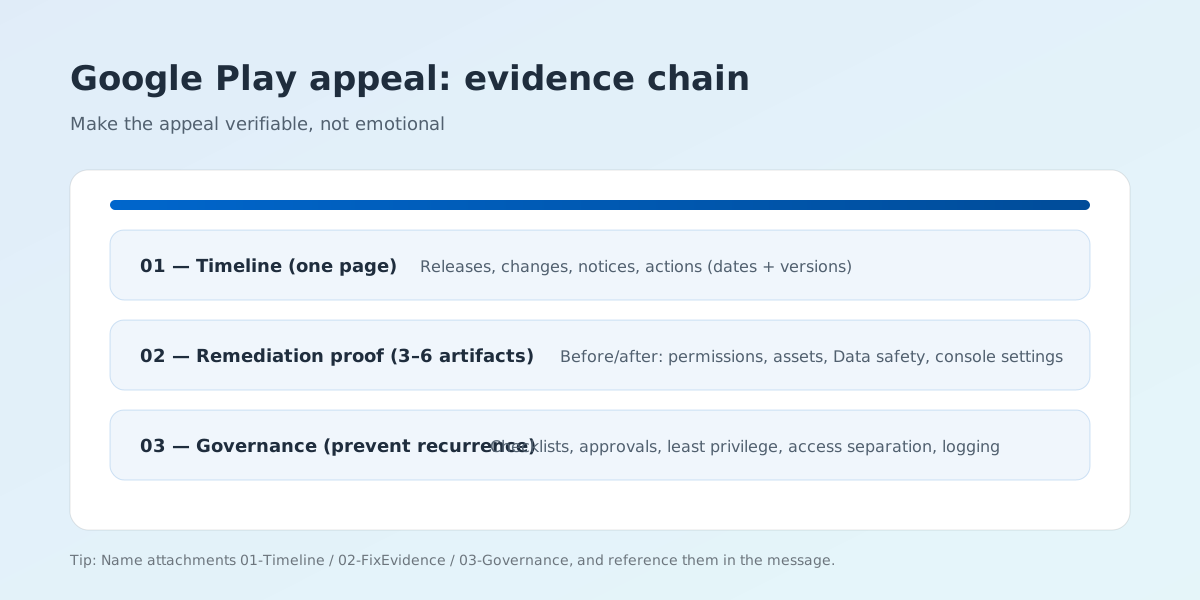
Evidence kit checklist
This is not a 鈥減repare everything鈥?list. Select artifacts based on the specific policy point in the notice. Usually, 3鈥? strong items are enough.
If you have not yet broken down the original rejection reason clearly, return to the Google Play remediation guide first to map the policy clause. If the evidence is mostly ready but reviewers still cannot tell what changed, use the Review Notes template in parallel so the proof reads as a verifiable remediation trail.
If this has already become an account-level recovery effort, continue with the developer account and risk-control service page. If you also want the rejection-remediation side in the same execution chain, revisit the Google Play deep guide.
- Timeline (1 page): dates, versions, key changes, notice subject lines, your actions.
- Before/after proof: permission list diff, screenshot pairs, Data safety declaration alignment.
- Policy mapping: map the notice to your concrete changes (avoid only linking to policies).
- Play Console settings proof: target audience, content rating, ads declaration, data collection settings.
- Third-party dependency note: SDK list, purpose, data flow, and what you removed/replaced.
- Governance measures: checklists, approvals, least privilege, access separation, logging and monitoring.
Appeal message template (facts + proof + commitment)
Replace bracketed parts with your real situation. Avoid vague phrases; keep it factual and verifiable.
- Opening: We acknowledge the violation related to [specific policy point]. We completed remediation and provide verifiable evidence below.
- Root cause: Root cause was [specific issue] introduced on [date/version]. It was not intended to mislead users.
- Proof: We removed/updated [feature/assets/SDK/permissions] and aligned Play Console declarations. See attachments 02鈥?3.
- Governance: We implemented [checklist/approval/access separation] to prevent recurrence. See attachment 04.
- Request: We respectfully request a review of the account decision and reinstatement if compliant.
Submission strategy: stop the bleeding first
If you keep making high-risk changes during the appeal window, you may amplify the risk profile. Before appealing:
If you already see repeated warnings, app suspension, or broader account instability, also review the account risk and suspension prevention guide so this appeal and your longer-term account cleanup move together.
- Pause high-risk changes: aggressive ads, off-store downloads, misleading keywords, exaggerated screenshots.
- Clean declarations: Data safety, permission use, target audience, content rating, and privacy policy alignment.
- Shorten verification path: make it easy to verify that the current state is compliant.